Give every product someone to sell it.
Turn your listing photos into a video with a presenter.
Ugcly hands back a finished video, with a presenter holding your product and talking buyers through it, captions and all. Every listing gets the pitch you’d give a customer across your stall. No filming. No editing. You pay only when it arrives.
The real bag photo is coming.
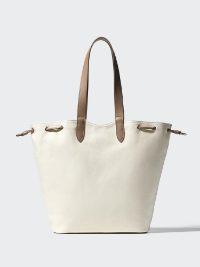
This is where the bag's supplier photo goes — the same picture every shop selling it uses.
The real bag video is coming.
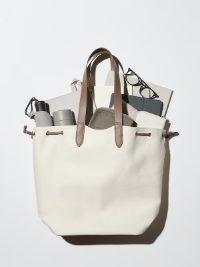
This is where the video made from that photo plays — a presenter showing what fits inside the bag, captions on.
1 out of 4
Shopee orders now come from short video & livestreams.
Video orders are increasing
50%+
every year.
Sea Ltd, Q1 and Q2 2026 earnings calls
Buyers are ordering from videos. Your products are still in photos.
Open Shopee Video and swipe for a minute. Every product you see is in a video, because that’s the only way in. Ugcly makes the video that gets yours in, from the photos already on your listing.
Put my first product on videoEvery shop has the same photo. Only yours has the pitch.
What fits inside the bag? Which phones does the charger work with? What does the coffee taste like? The video answers before anyone opens a chat. And on your listing, it plays first, before a single photo.
The real bag photo is coming.
This is where the bag's supplier photo goes — the same picture every shop selling it uses.
Canvas Tote Bag Large Capacity Shoulder Bag
RM29.90
Shop 1
The real bag photo is coming.
This is where the bag's supplier photo goes — the same picture every shop selling it uses.
Ready Stock Canvas Tote Large Shoulder Bag
RM28.50
Shop 2
The real bag video is coming.
This is where the video made from that photo plays — a presenter showing what fits inside the bag, captions on.
Canvas Tote Bag Large Capacity Shoulder Bag
RM29.90
Your shop
Videos shouldn’t become another job.
Orders need packing. Customers need replies. Writing, filming and editing a video for every product is hard to fit around all that.
Same tote bag. Two ways to make the videos.
Other AI tools
- Seller (photo of the tote bag attached): Write a video script for my tote bag
- Other AI tool (2 / 2): Of course! Here’s a fresh take: “Elevate your lifestyle. Meet the ultimate tote.”
- Seller (quoting “Elevate your lifestyle.”): Too cheesy. It’s canvas, for market and cafe. Fits a laptop.
- Other AI tool: Got it! Updated script: “Fits your laptop and groceries. Fully waterproof too!”
- Seller (quoting “Fully waterproof too!”): It’s NOT waterproof!!
- Other AI tool: You’re absolutely right! Fixed: “Canvas tote for market and cafe. Elevate your everyday.”
- Seller: Laptop’s gone. And “elevate” is back.
Still no script you can use. Now do that for the next product.
With Ugcly
- Your three product photos and an actor are added.
- Create Video
- Here’s what we learned. Fix anything we got wrong, then approve.
- Product: Canvas tote bag
- Buyer profile: Market and cafe regulars
- Dream outcome: The buyer carries a laptop in one canvas tote, from the market to the cafe.
- Competitive edge: Canvas that fits a laptop
- Approve
5 tries: Other AI tools
1 check: Ugcly
With Ugcly, everything is automated. You only need to approve it.


Start with one.
Choose the product you wish more buyers would notice. Upload its photos. Ugcly makes the finished video for about US$8.50. And you pay only when it arrives. Then decide about the rest.
Make my first videoFree to sign up.See credit packs and prices →
AI video for Shopee and Lazada sellers: your questions, answered
What is an AI product video for Shopee?
It's a short video of a presenter holding your product and talking about it, with a script, voiceover and captions. Ugcly makes it from the product photos already on your Shopee listing, so nobody films anything. You download the MP4 and add it to your listing, post it on Shopee Video, or use it on Lazada.
Can I post an AI video on Shopee?
Yes, if you label it and it's true to the product. Shopee goes after two things: AI content with no label, and content that's banned even with a label. That means false product claims, fabricated reviews, public figures or look-alikes used without approval, and anyone under 18. In Singapore, skipping the label costs 3 penalty points and the video is removed.
Do I need to label it as AI?
Yes, wherever it appears on Shopee: a listing, Shopee Video or a live. On Shopee Video, switch on the "AI-generated" label in the post settings when you upload. Shopee may also add the label itself if it detects AI, and once it's on, it stays.
Does a labelled video reach fewer people? Shopee doesn't say, so we won't guess.
What size should a Shopee product video be?
For the listing, Shopee's limit is an MP4 of 10 to 60 seconds, 30 MB at most, and no larger than 1280 × 1280 pixels. Ugcly's square file is 1080 × 1080, which is within that. For Shopee Video, Shopee recommends vertical 9:16, and Ugcly makes that too.
How do I get the video onto Shopee?
You download the MP4 and add it yourself in Seller Centre. There's no Shopee integration. On a listing, the video plays at the top of the product page, before your photos. For Shopee Video, you upload it as a post, and you can tag up to 6 products on it.
Can I use the same video on Lazada?
Yes. Download the MP4 and add it to the product in Lazada Seller Center. Lazada sets its own upload limits, so check them on the upload screen.
Can I use photos of myself or my staff as the presenter?
Yes, and for Shopee Video we'd suggest it. Upload a handful of clear photos and that person presents your products, with no filming. It gives your shop a face of its own in the feed.
Ugcly's ready-made presenters are shared across shops, and Shopee lists the same AI host appearing across multiple accounts as one of the quality problems it checks for. A presenter built from your own photos avoids that.
Only use photos of someone who has agreed to it. Never use a public figure, a look-alike or anyone under 18. It's still an AI video, so it still gets the label.
Can my affiliates post it?
Yes, with your permission. They get a true video of your product instead of making their own. It's AI video on their account too, so it needs the label there as well. Because Shopee checks for the same AI host across many accounts, give it to a few affiliates you trust, not everyone who asks.
Will buyers be put off because it's AI?
Some will. Some buyers online say they mind less on everyday items like tissue, and more on electronics. They also skip a video where the presenter looks fake. What most of them ask for is that the video matches the real product. So check the research brief and the finished video against what you actually sell, and label it.
How is this different from Shopee's own AI tools and video editor?
Shopee's free AI tools improve your product photos, with new backgrounds and selling points. Its video editor cuts footage you've already shot. Neither makes a presenter video from photos. Ugcly does, and delivers it finished: presenter, script, voiceover and captions.